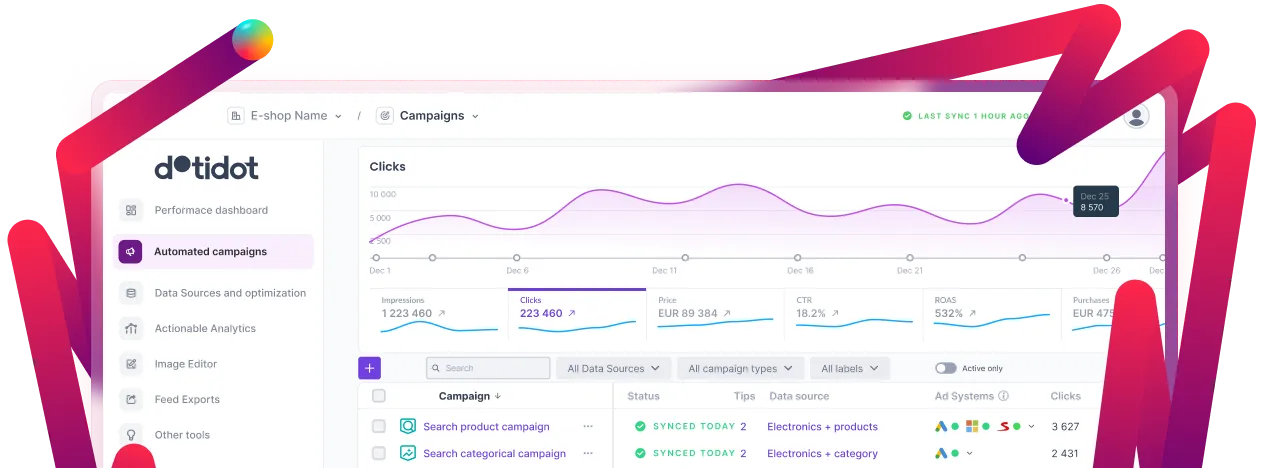
We are now heavily focused on improving the Performance Max campaign features. Many upgrades have been completed, and significant improvements are on the way. In June, we improved audience signals, allowing you to build your audiences just as you are used to in Google Ads—based on demographics, interests, or interactions with your business/website. We have also enhanced the Insights dashboard and added more metrics. Stay tuned for big things to come!
Search and DSA campaigns used to have shared budget only. Now you have the option to set individual or shared budget for your campaigns. This choice also affects the choice of allowed bidding strategies. More about budget selection »
Remove any elements or category directly from the category path and use the new variable for feed grouping.
You can now also work with Ad Customizers in the application. These allow you to add dynamic content and thus personalize text ads in search results. Why? Because personalized ads attract far more attention than general ads. A pleasant advantage of using text Ad Customizers is also that the entire advertisement will not be generated again, only its dynamic part.
Several changes have been made. The first thing you will definitely notice is the division of the entire menu into three sections, which will help you manage your work there. The last section is activity log, where you can find the entire history of activities, downloads and synchronization.
If you make a modification to your export settings (rules or changing custom variables), you can now manually force a feed to be generated. No need to wait for the next automatic update.
Even better pictures with new features! Vertical text aling, underlines, line editing, line wrapping, text shortening… Now you can do it all!
Sometimes a bugged source or any wrong settings can lead to no products being present in the campaign. Now you can set how the campaign should behave in such a case. Wanna synchronize it anyway? Sure. Wanna use the last existing settings that contained products? Of course.
Campaigns that were linked to archived data sources could occasionally be hidden. This is now fixed, ads are shown and an error message appears that you need to upload a new data file or restore an existing one.
We have added the ability to perform bulk actions on elements in the application, in order to facilitate work and minimize the number of possible errors. For example, if you want to pause feed exports, find and replace text in ads, or replace a variable in bulk, all of this is now possible in a few clicks.
Not only have we tweaked the design, but we’ve added the ability to filter the country you want to do a feed export for. We’ve also added new types of feed exports, giving you a wider variety of options of where to advertise, so there really is a lot to choose from!
This allows you to add information about gifts, warranty time, vouchers or other promotions to the export.
We’ve added new descriptions to each feature so it’s clearer what each feature does.
For example, if you’re missing a feed export in the app, you can add it to your whishlist so we can see if there’s interest. At the same time, other users can like it so we know to work on it quickly.
We have fixed a bug where the preview was not working when creating a new campaign/feed export and the feed changed.
We have fixed a bug where a data enrichment could not use variables from a previous enrichment for matching.
We have added the ability to perform bulk actions on elements in the application, in order to facilitate work and minimize the number of possible errors. For example, if you want to pause feed exports, find and replace text in ads, or replace a variable in bulk, all of this is now possible in a few clicks.
Not only have we tweaked the design, but we’ve added the ability to filter the country you want to do a feed export for. We’ve also added new types of feed exports, giving you a wider variety of options of where to advertise, so there really is a lot to choose from!
This allows you to add information about gifts, warranty time, vouchers or other promotions to the export.
We’ve added new descriptions to each feature so it’s clearer what each feature does.
For example, if you’re missing a feed export in the app, you can add it to your whishlist so we can see if there’s interest. At the same time, other users can like it so we know to work on it quickly.
We have fixed a bug where the preview was not working when creating a new campaign/feed export and the feed changed.
We have fixed a bug where a data enrichment could not use variables from a previous enrichment for matching.
Simplify actions over a data source
Of the many actions above the table, only the two most commonly used actions are left. To update the data feed and create a grouped data feed, other functions such as creating a filtered data feed can be found by users in the drop-down list.
Working with dates within variables is now available in PPC Bee
Now you can see a new “first seen on” column in your data feed, which indicates the date the item was added to the feed. This date can be used in conditions, when creating variables or ads. Depending on the date, you can choose which products you want to use and, for example, you can target new products added to the feed.
Thanks to customized Columns you can easily check your Campaign statistics data separately for each Ad system.
Google Merchant Center feed export got better
You can now add all the information that Google Merchant Center can process in your feed export. In addition, all items are categorized for easy orientation in the editor.
Activity log in Tuner
The history tab now includes the email address of the user that accepted or rejected Tuner recommendations. However, this only applies to new actions, not the old ones.
Numeric conditional variables
Recently, we introduced conditional variables that allow you to easily define what values it will contain using conditions, existing variables, or any text. However, the resulting variable was always considered a text variable, therefore you couldn’t use it as an Ad Customizer for example. From now on you can choose, whether it will be a conditional text variable or conditional numeric variable.
Whenever you accept or remove any suggestion Tuner has for you, the action is saved in a History tab - now, the History tab has more clear design. And what more, you can now see all the match types of a keyword that Tuner suggests to remove.
If you use underscores in a campaign’s name and no variable is used in the name, you can change the name however you like, even after the campaign has been synchronized.
Thanks to a new sticky bar with the ‘Save’ button, you can save changes no matter which part of the editor you are in.
You can read all about PPC Bee support on our blog. In the article you can learn what forms our support has, where you can find what, and how our support actually works.
Sometimes, thinking up keywords can be a pretty tough nut to crack, all the more if your data feed isn’t exactly tidy. This can be resolved by creating a couple of your own, new variables and using regular expressions to remove groups of words or characters from them, until only the required word is left. But what if you could just extract a group of words from the text instead of removing it?
This is now possible in PPC Bee as we’ve created a new function for you which works precisely this way - Extract regex!
Read more on our blog
Did you ever miss a significant error or abnormal behavior when working with PPC Bee? From now on, we promise that it won’t happen ever again! We are introducing the PPC Bee Notification Platform, which will inform you about relevant faulty events in a timely manner and will make daily work with the application more effective. Come meet the new platform on our blog
In the adtext you’ll notice the work of our UX specialist. We have edited a sequence of fields inside the generator and some labels too. Moreover, you can set the status of adtext to paused/running directly in the generator. Your work with the generator will be also improved because of:
We added the search box right next to the variables in generators: in adtext and also in the keyword generator.
PPC Bee has upgraded the newest version of AdWords API.
The first news of the past month is the implementation of what you are looking at right now: regularly updated news from PPC Bee. Starting from now you will know about every change in the application so you can be sure you won’t miss anything! Thanks to this, you can instantly test new features and apply them to your campaigns immediately.
Which other news and improvements are new for PPC Bee in July? Read it here:
We added a conversion rate to PPC Bee monitoring
Data preview of variables
Adjustment in hierarchy: generating ad groups in campaigns –> We changed the limit from 9000 to 12 000
List of accounts that have access to the organization
New condition added: limit for the count of characters in variable
User has permission to choose home organization
Users can choose conditions for an empty field
Preview of products from data feed which are not being used in any campaign
Filtering kw generators and adtexts: running or paused