AI reads your product data and tells you what to push, pause or fix.

Product Analytics breaks down spend, ROAS and wasted budget product by product. AI Insights reads that report and tells you what to do about it.
Ready in 2 minutes
Read-only by default. Nothing changes unless you approve it.
GDPR compliant. EU data processing.

Meet your new AI PPC colleague

It sits inside Product Analytics. It knows your catalog, your spend and your history. Here is the job description.
Gathers your data
Pulls your ad accounts and your product feed into one place, so spend and products finally line up.
Live
Builds the report
Spend, ROAS and wasted budget at product level, segmented and ranked. Ready in 2 minutes.
Live
Reads it for you
Tells you what you missed and which products to push, pause or fix. In plain language.
Live
Always on the account
Works through every product, every day, without being asked twice.
Warns you in time
Emails you when something moves. A spend spike, a revenue drop, a product that stopped selling. You hear about it without opening the app.
Coming soon
Fixes what it finds
Pause, exclude, start or add products to a campaign, straight from the insight.
Coming soon
Works your way
Tell it what to watch, how to judge it and when to speak up. It follows your rules, not generic ones.
Coming soon

Did you know that...

80%
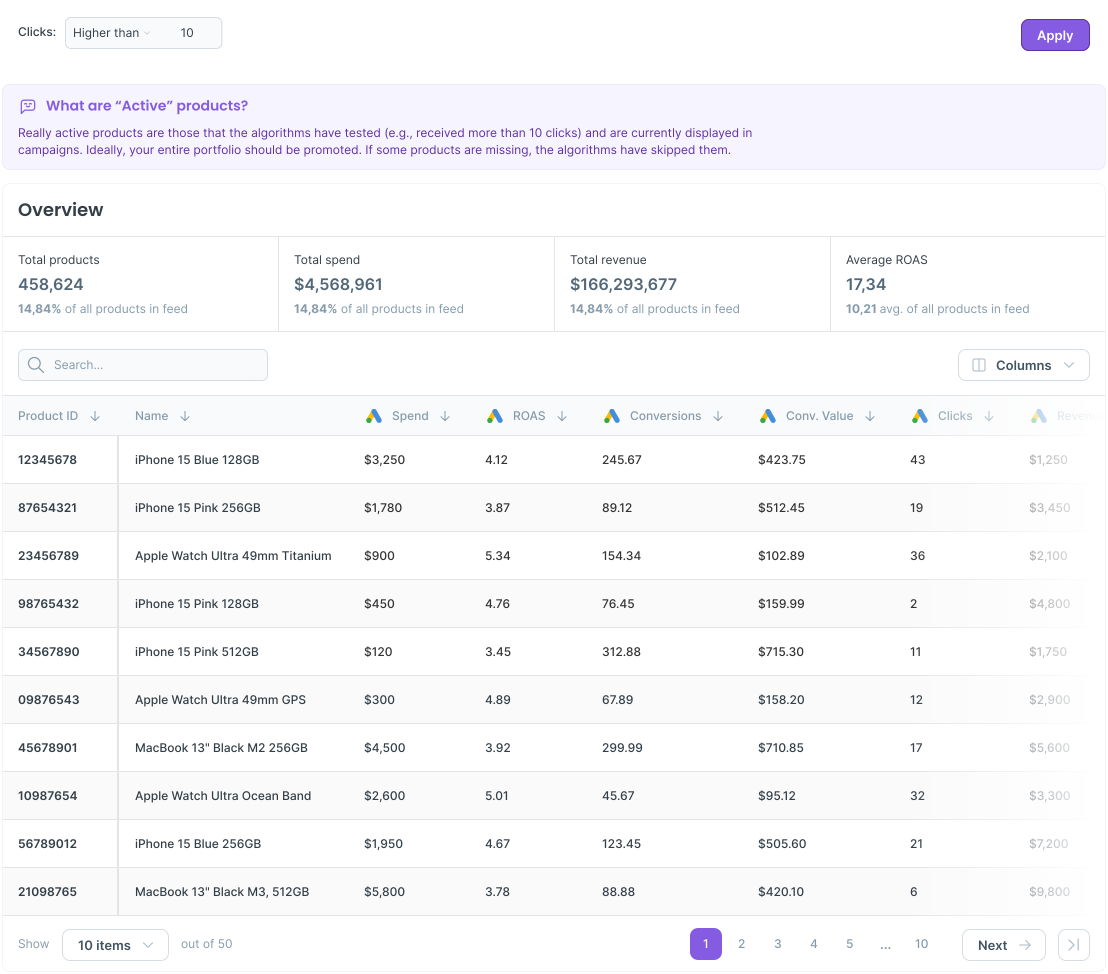
of products get little to no clicks
15%
of products consume
80% of your budget
18%
of products underperform while still spending
*Based on the research done with first Product Analytics users

AI Insights reads the report for you.

Product Analytics gives you the data. AI Insights tells you what it means. One click and you get a plain language read instead of another spreadsheet to dig through.
Spots the products worth pushing, pausing or fixing
Flags big shifts in spend, ROAS and revenue
Compare periods, so you see what changed
Turns your numbers into a short, plain language read

We looked inside hundreds of ad accounts

The same problems appear in almost every single one. Here is what your client's account probably looks like right now.

*Based on research with the first users of Product Analytics
80%
of products get little to no clicks. But they are still in your campaigns.
15 %
of products are consuming 80% of your client's budget. Do you know which ones?
up to 25 %
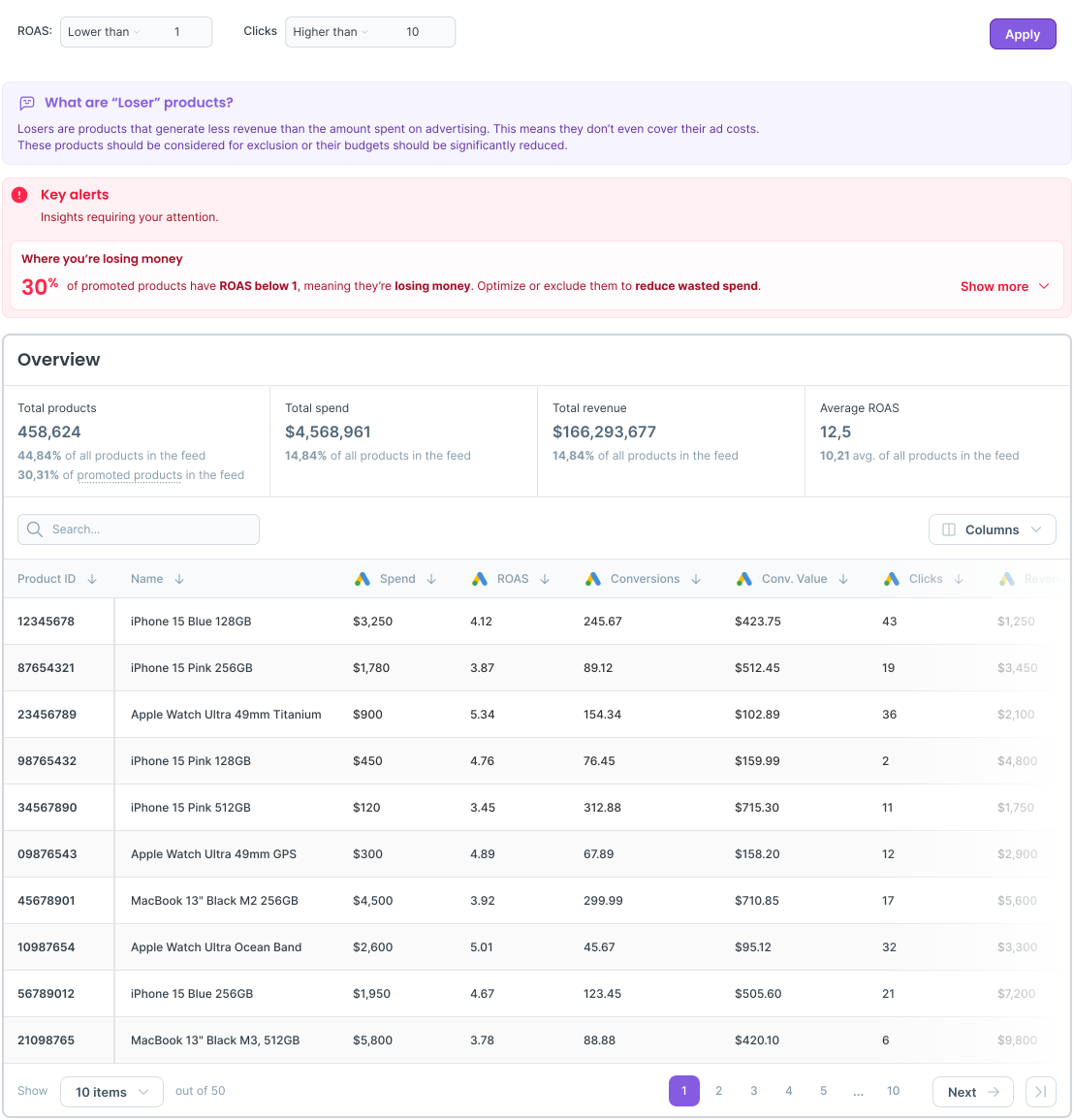
of products are actively losing money while spend continues.

See exactly where the money goes. And where it should not.

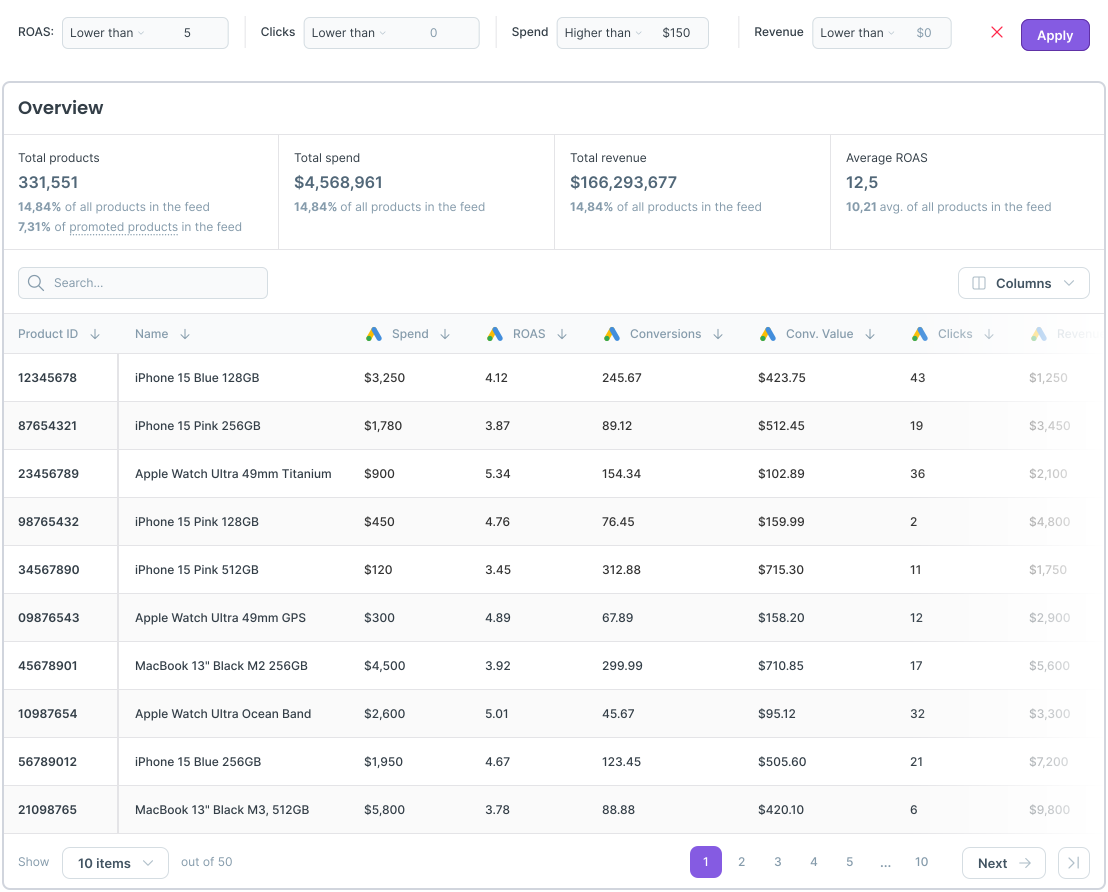
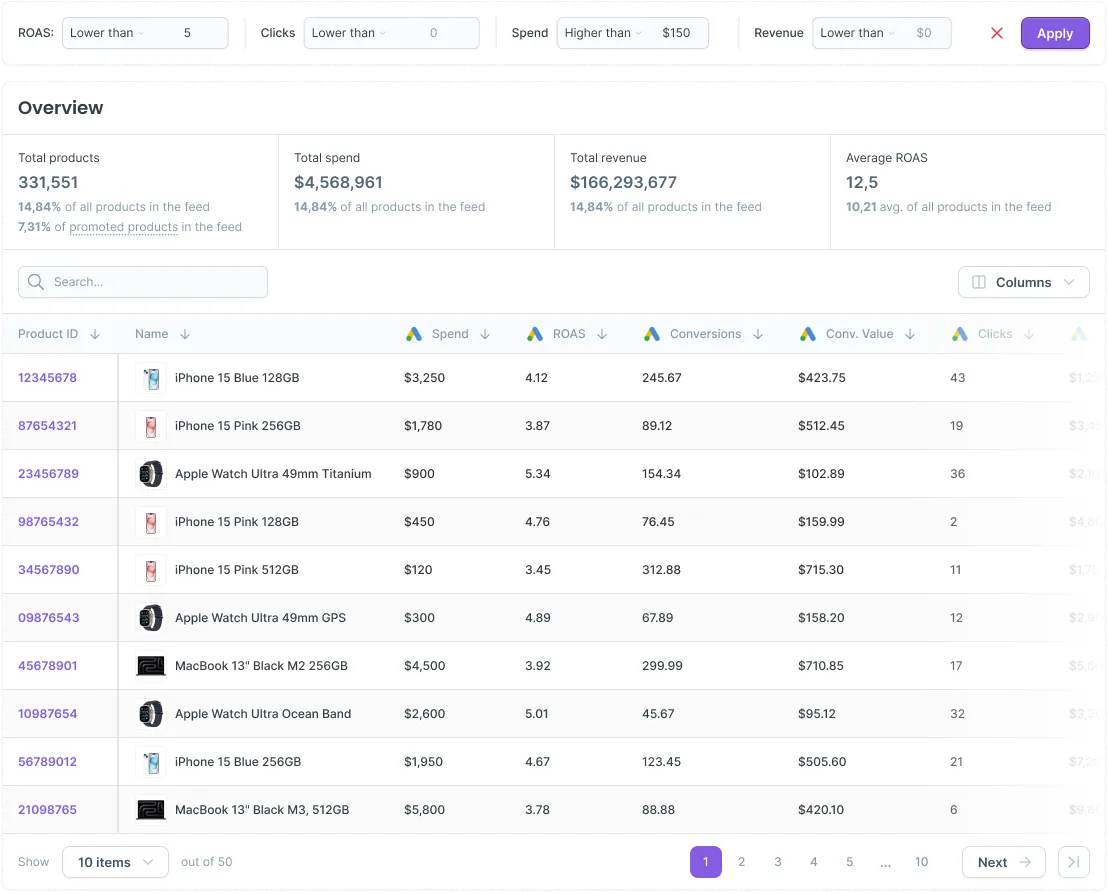
This is the data AI Insights reads. You can read it too, at any level of detail you need.
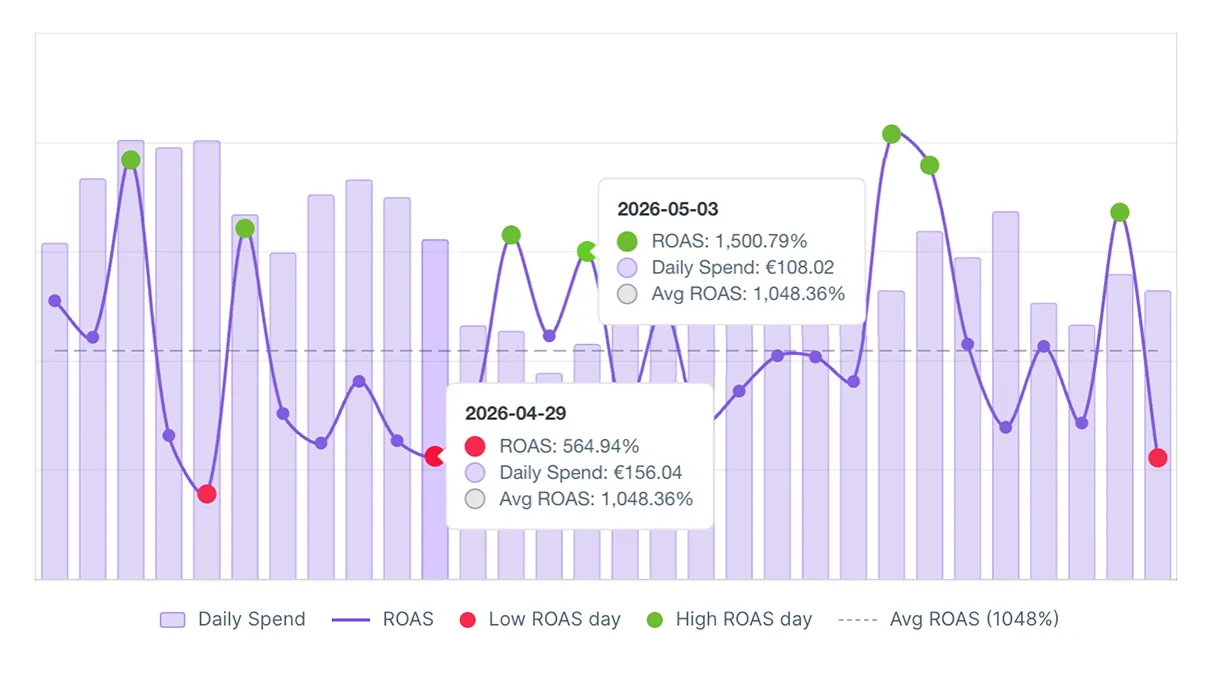
Daily/weekly data dashboard chart
Stop flying blind between reports. The new dashboard surfaces daily and weekly trends so you can catch issues early, spot what's gaining traction, and act before small problems become expensive ones.
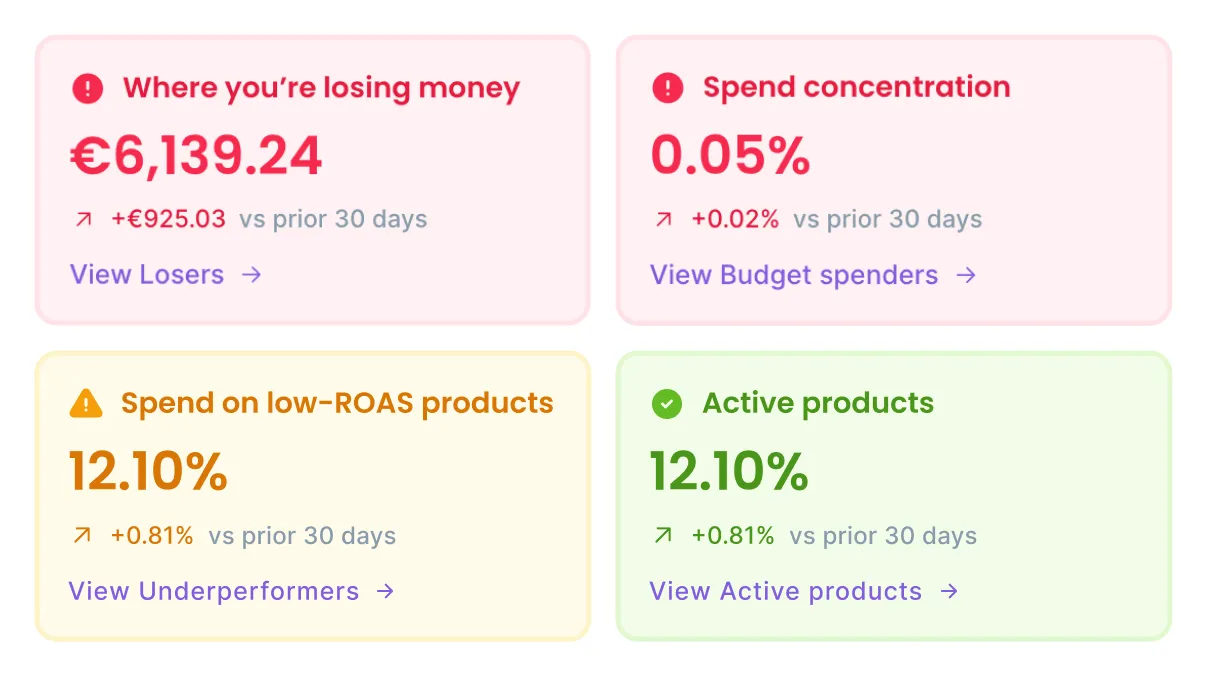
Key performance insights
See every product issue in your active campaigns ranked by urgency. Critical problems first, emerging risks second, so you always know what to fix and what to watch.
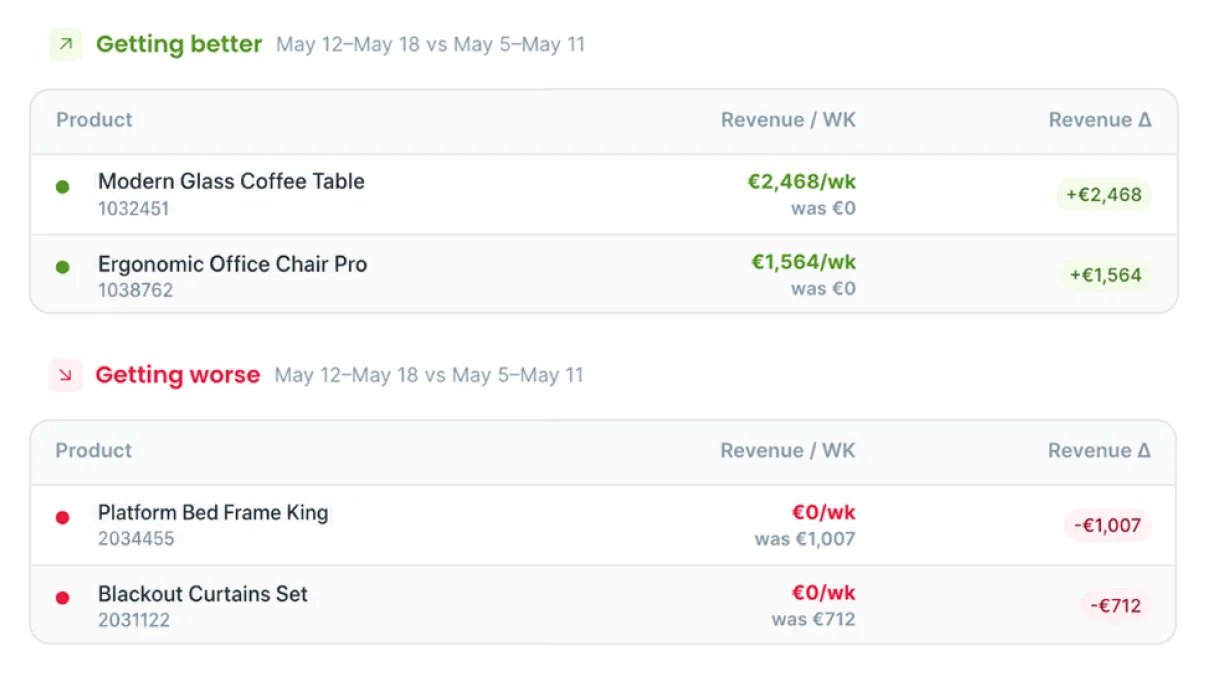
Revenue movers
See which products gained revenue this week and which ones quietly dropped. Updated daily, so you always know what's moving and what needs your attention.
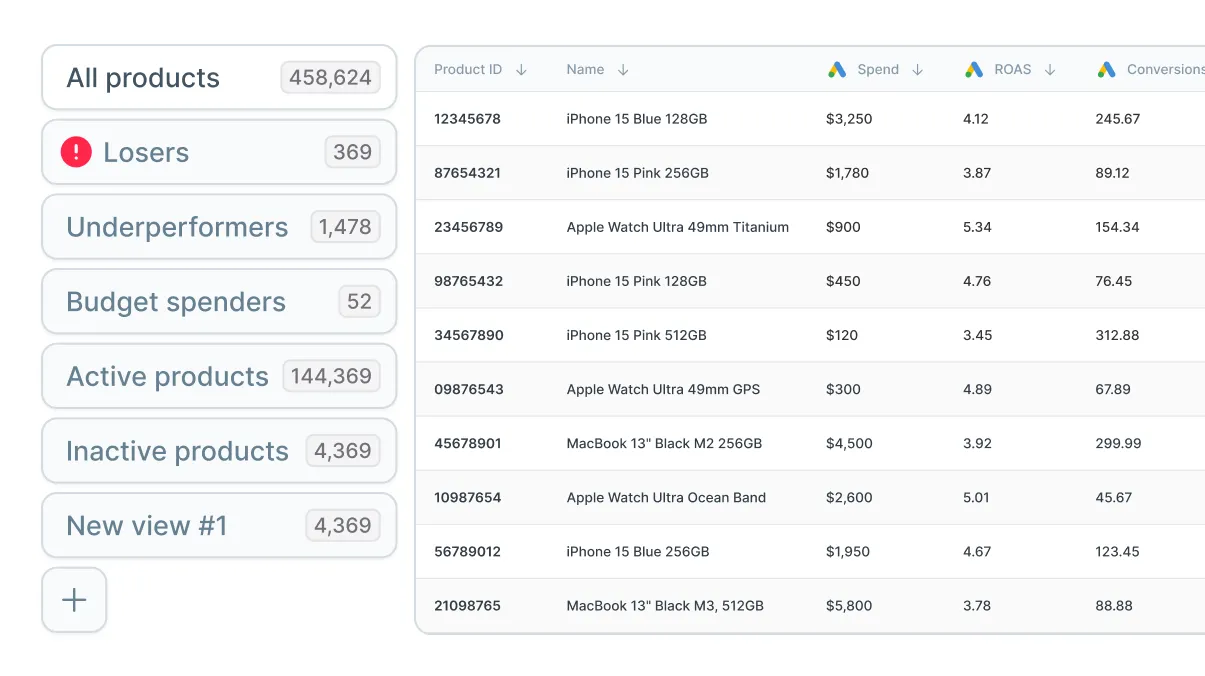
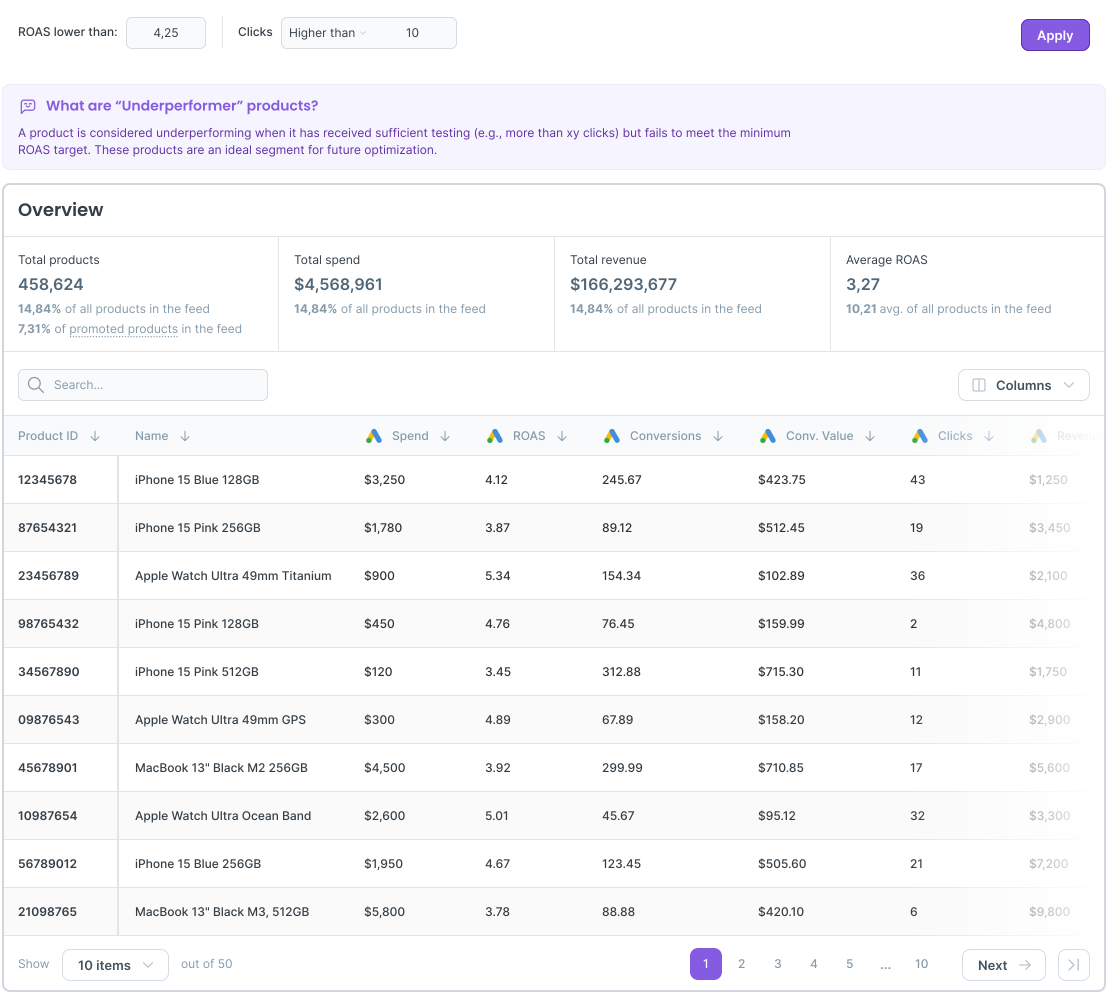
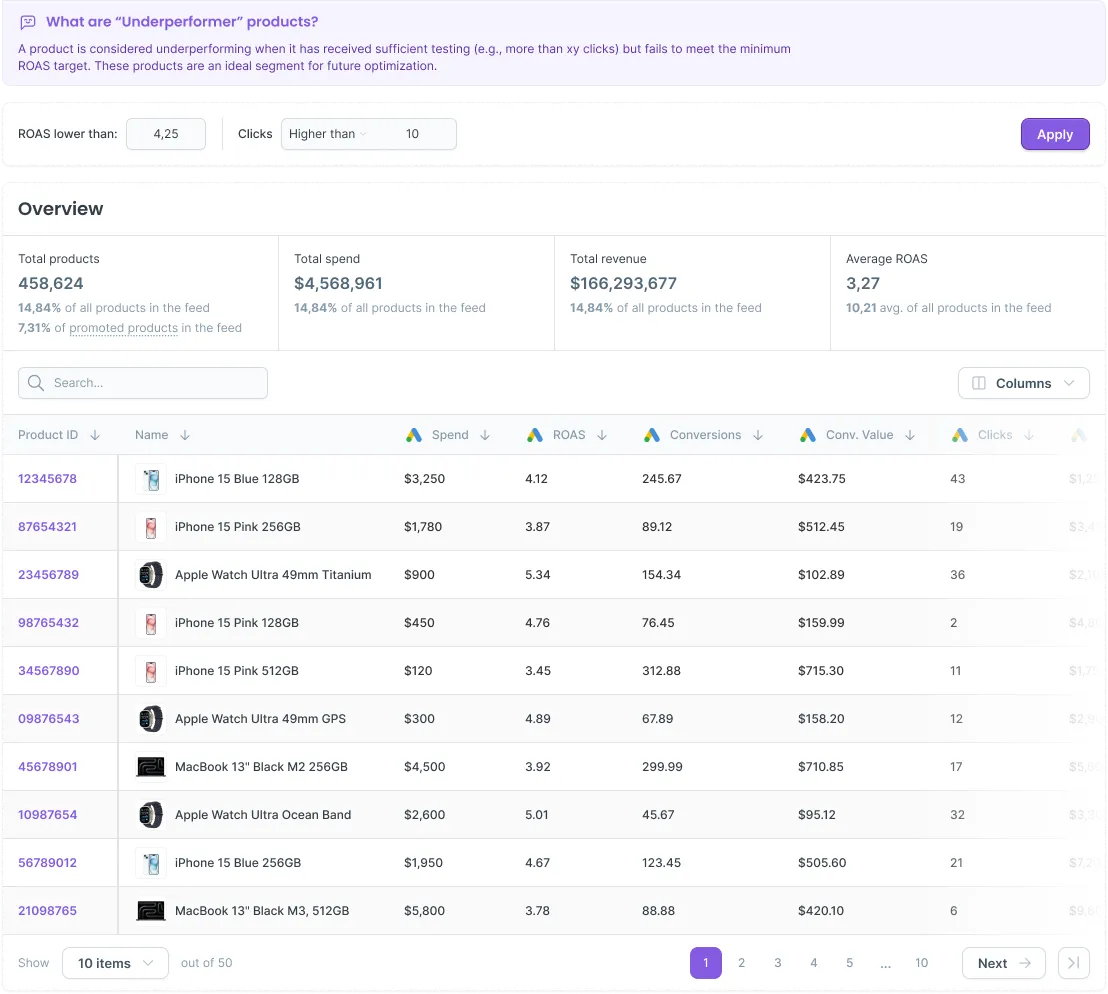
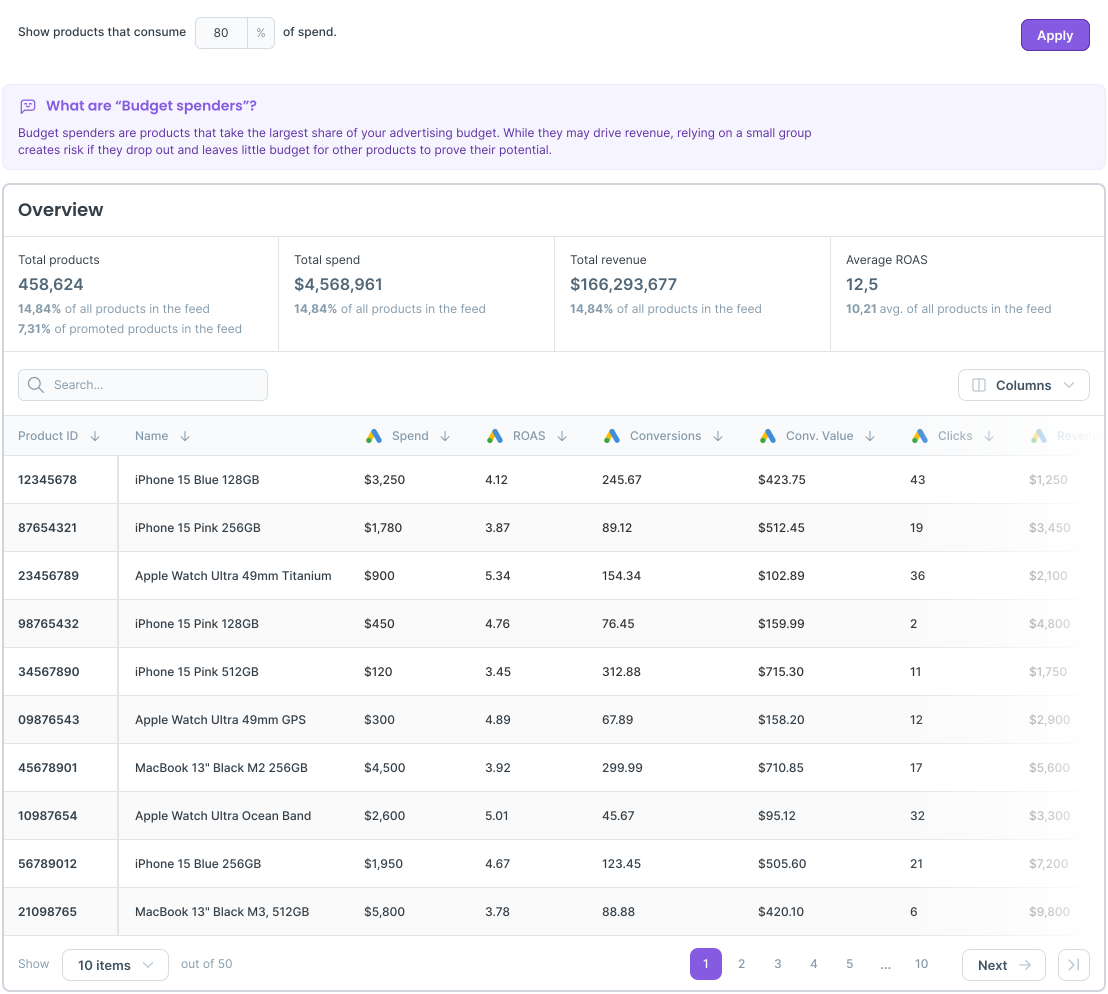
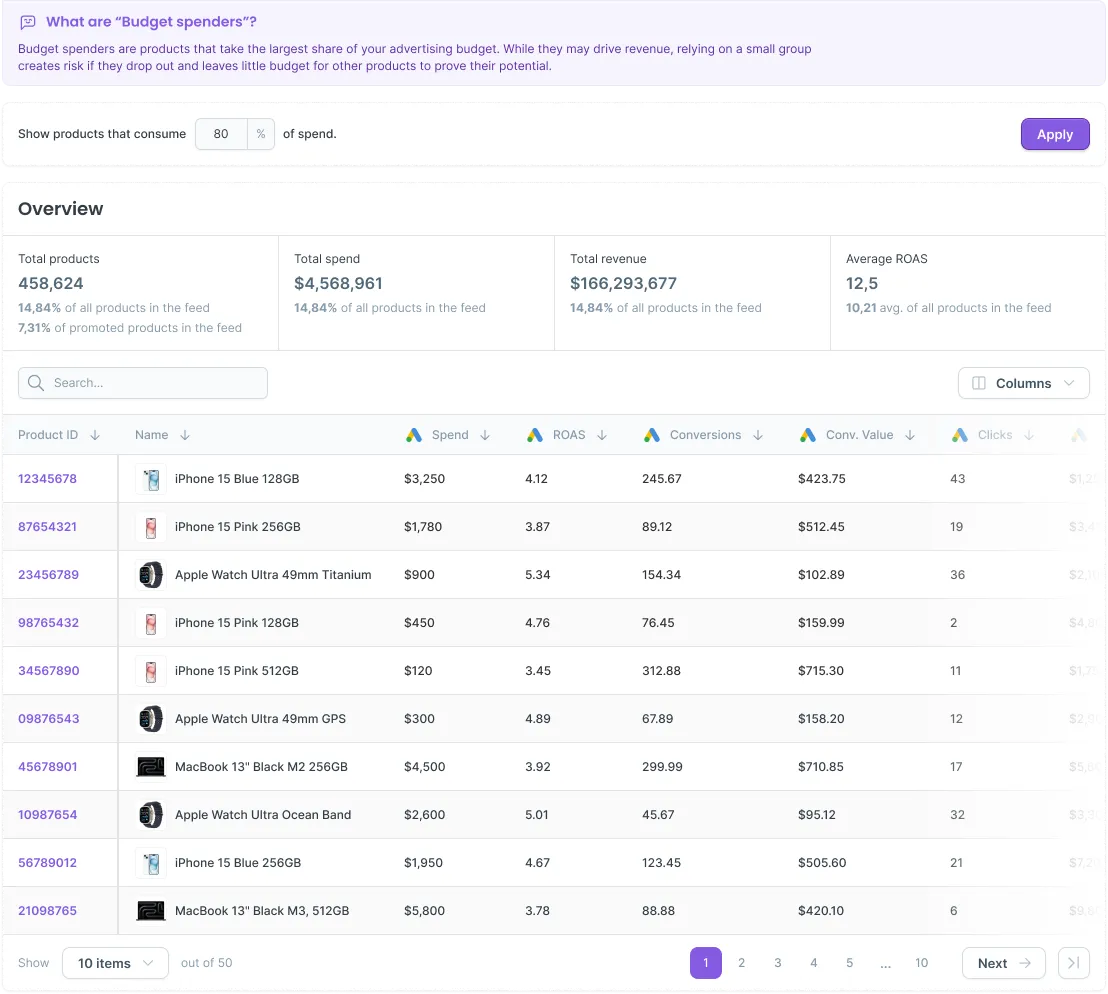
Product segmentation reports
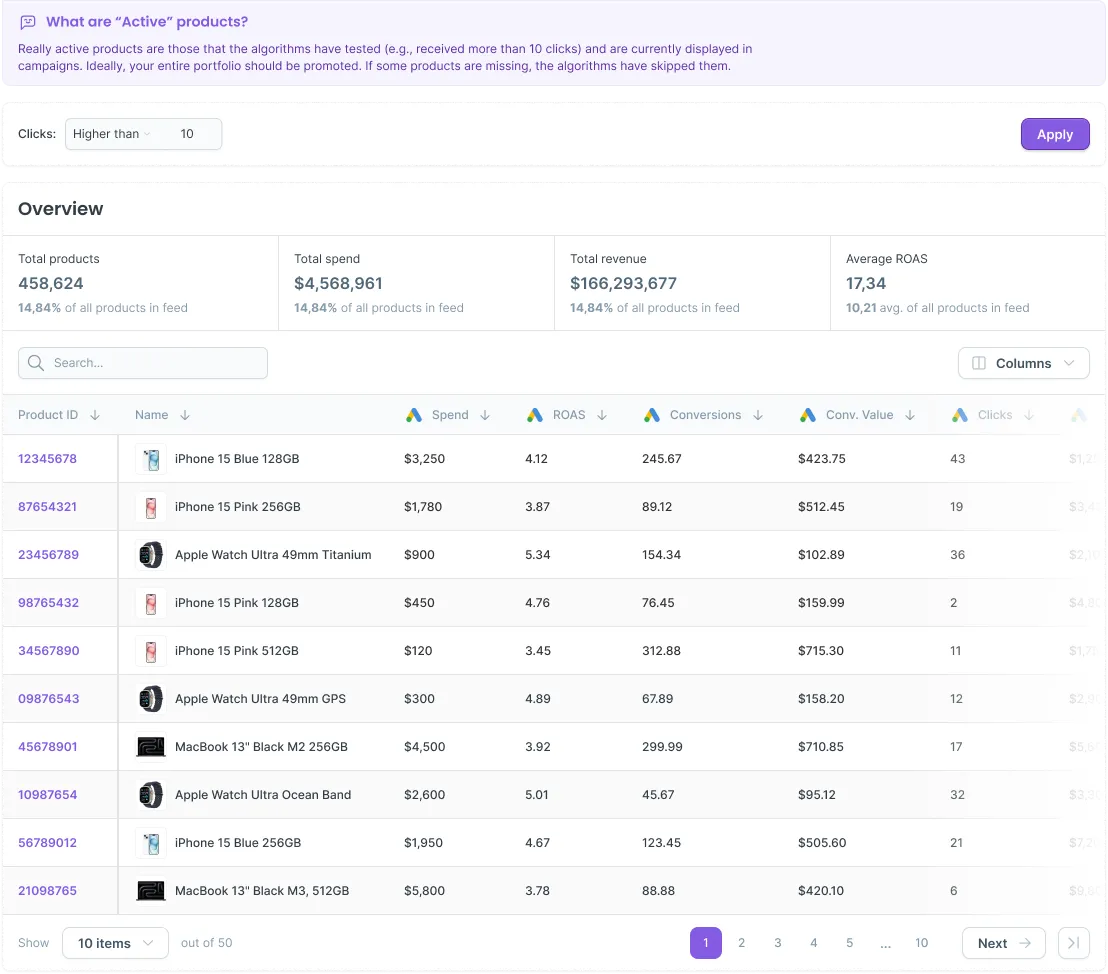
Your entire catalog ranked by performance. Top earners, dead products, underperformers and budget losers, all in one view.

New filters cut the catalog the way you actually work.

Group by what a product is. Sort by how it is moving. Two ways to cut the same report, so the answer you need is never more than a filter away.
Group your catalog to find the patterns
Stop looking at 400,000 products. Look at the groups that decide your results.
Price
See which price bands pull their weight
Brand
Spot which brands earn or waste budget
Category
Compare performance across your ranges
Sort by movement, not just totals
A big spender that is slipping matters more than a big spender that is stable.
Revenue trend
Which products are climbing or slipping
Clicks change
Where attention jumped or dropped
Spend change
Where your budget shifted between periods

Take a look inside Product Analytics

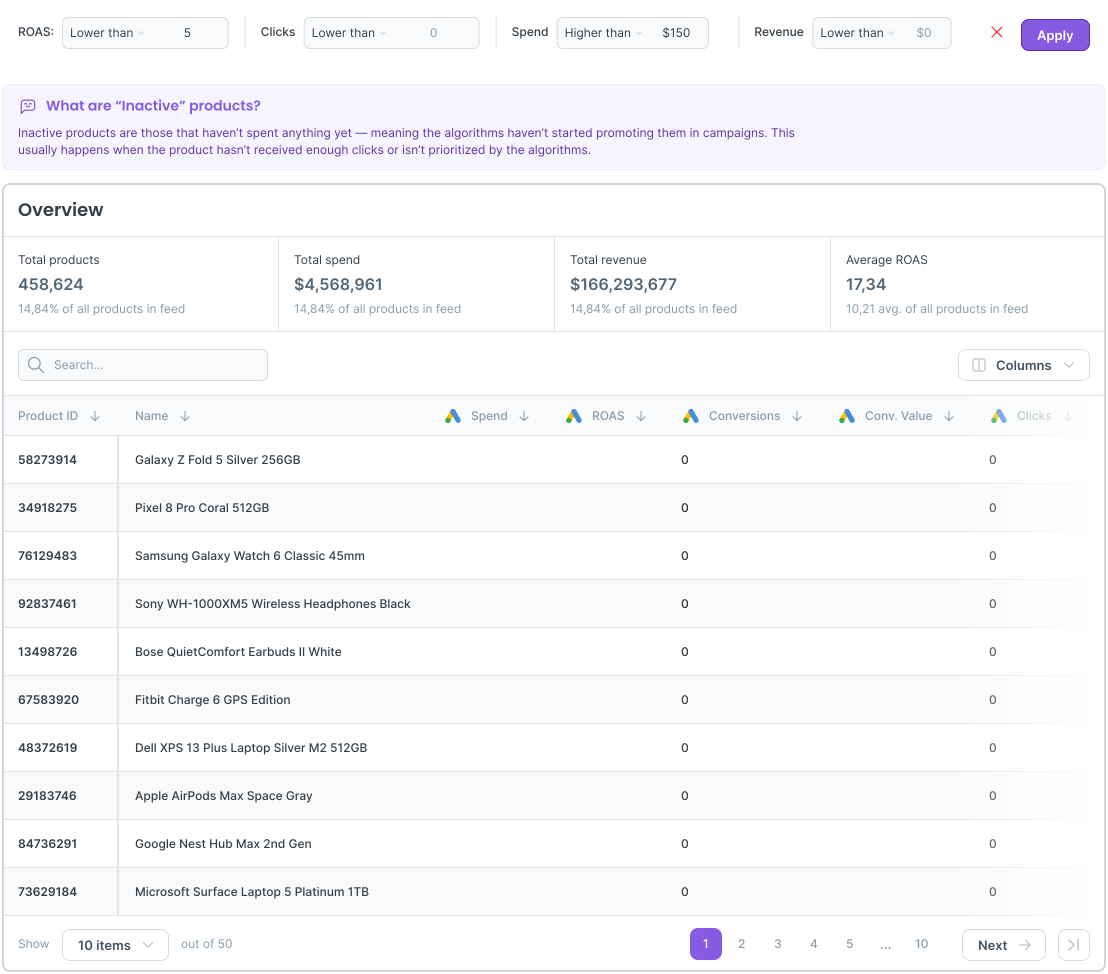
Set custom thresholds
Tailor your performance criteria to match
your goals and strategy.
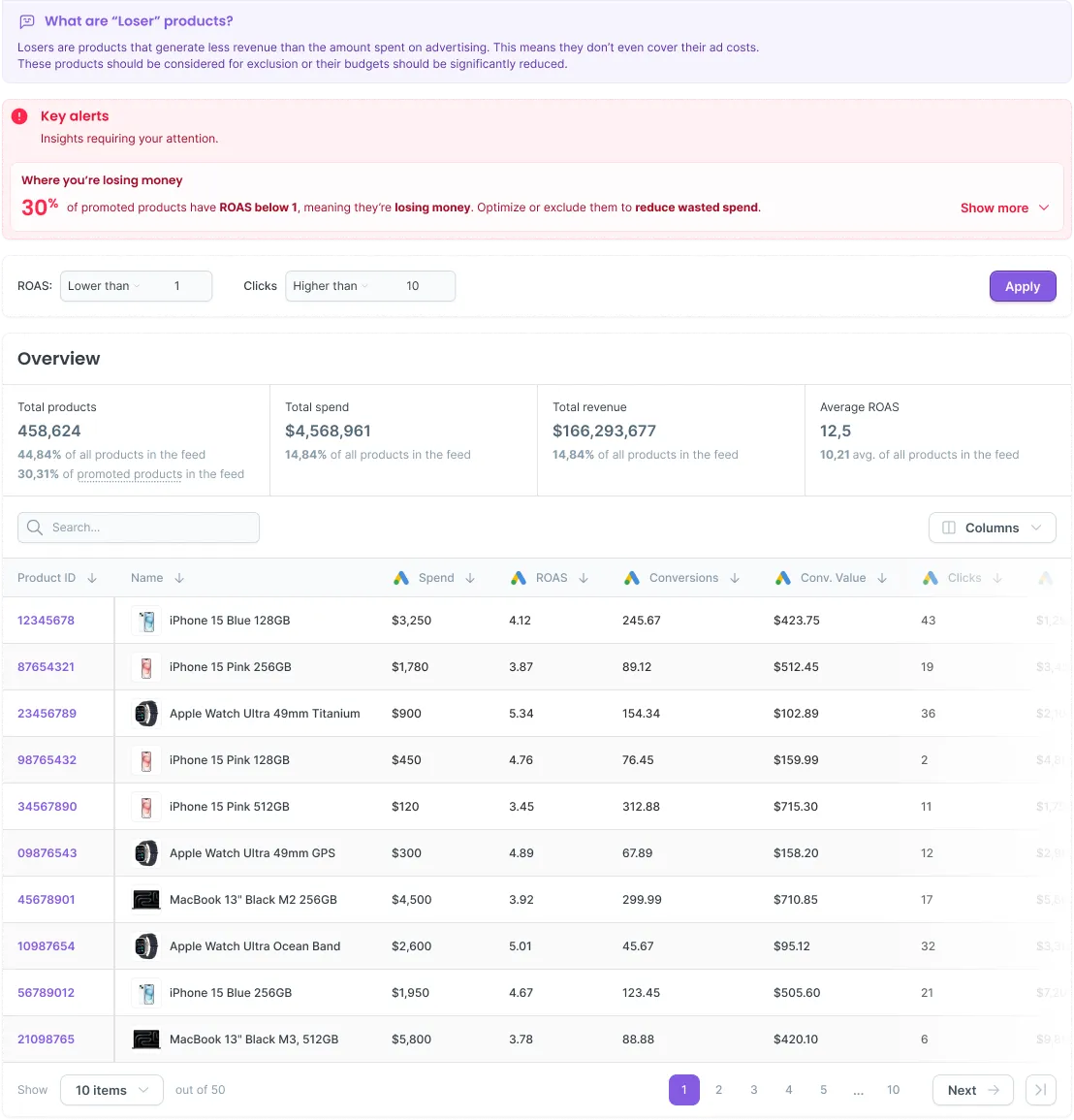
Drill down into segments
See which products make up each segment and how they perform.

Actions based on AI Insights

Coming soon
Right now AI Insights tells you what to do. Soon you will be able to do it without leaving the report.
Pause the products draining budget
Exclude the ones that should never have been in the campaig
Start the products worth pushing
Add to a campaign straight from the insight
From reading the report to acting on it, in the same screen.
Your data stays yours
What AI Insights does with your numbers, and what it never does.
Never used for training
Your data generates your insights. Nothing else.
Processed in the EU
Your data generates your insights. Nothing else.
Not shared
Your data generates your insights. Nothing else.
Read-only by default
Your data generates your insights. Nothing else.
Seeing exactly where my PMax budget was going changed how I looked at campaign performance.
Avatar
Jakub Racek
PPC specialist and data analyst

Four steps to your first report

No spreadsheets. No BI tools. No guesswork.
Select your
data source
Connect your
Ad accounts
Dotidot analyzes data in few minutes
Your product
report

Find out what your budget is really doing.

Two minutes to your first report. One click to know what to do about it.
Colorful circular gradient with bright hues blending from turquoise to yellow around a purple center.Four concentric white arc lines on a black background.