Struggling with product feed errors that impact your campaign results? This actionable feed health checklist helps you quickly diagnose and fix common issues, turning high impressions into more clicks and conversions when it counts most. Download a free template and streamline fixes with the proven Dotidot workflow.
Why feed health matters for ecommerce campaigns
The product feed is at the center of your ecommerce advertising strategy. Even with healthy budgets, high-quality product data determines if your items get listed, how they appear, and whether users actually click. When product feed errors go unresolved, your campaigns produce high impressions but see declining click-through rates and wasted spend. Every missed data point is a missed sale opportunity.
Well-structured, up-to-date feeds power superior bidding and targeting—for Google Shopping, Meta, and more. Good feed health ensures your ads show with correct prices, relevant product types, fresh images, and approved inventory. When issues slip through, you risk disapprovals, uncompetitive rankings, and customer confusion in the final mile. Quickly finding and fixing feed issues before scaling your ad spend is the single most overlooked lever for profitable ecommerce growth.
Tip: Regular, scheduled feed audits can prevent small errors from snowballing into revenue-draining disapprovals or sudden campaign performance drops.
Common feed health issues and how to detect them
A systematic feed health checklist helps you surface the root causes behind underperforming campaigns. Key error types include:
- Missing or incorrect essential fields like price, availability, GTIN, brand, or image links
- Outdated or broken URLs leading to 404 pages or redirects
- Policy violations, such as prohibited product types or incorrect attributes
- Mismatched or inconsistent data between feed and landing page (e.g., price or stock)
- Poor image quality—wrong size, watermarks, or rejection by networks
- Formatting issues, duplicate IDs, or prohibited language
Most feed problems are flagged in Google Merchant Center Next or your advertising dashboards. Watch for alerts, disapproved products, and error reports. Lower impression share, warnings about attributes, or products dropping out of listing counts are early signals. Use the diagnostics section and export reports regularly. Specialized product feed management solutions also highlight critical errors and missing data fields proactively.
Tip: Always cross-reference your live feed against what is actually being displayed in your ad platform dashboards to catch invisible errors that slip through initial uploads.
How to fix product feed errors fast
With your error report in hand, target fixes by error type:
- Fill in all required and recommended fields with valid values
- Standardize product data (e.g., use ISO currency codes, correct GTIN/MPN)
- Remove expired, discontinued, or out-of-stock items promptly
- Update and validate URLs to guarantee they resolve to correct product pages
- Improve image quality to match ad platform specs—resize, remove watermarks, and avoid overlaid text
- Correct policy violations by editing titles, descriptions, or categories
- Use batch updates or feed rules for large catalogs
Efficient workflow often means working with an automated tool or dashboard, so you can bulk edit, preview, and test before re-uploading. For in-depth guidance on correcting specific error types and real-life troubleshooting examples, review this detailed guide on feed optimization.
Free feed health checklist template
A structured template helps you standardize your review process and catch issues before they escalate. Your feed health checklist should cover:
- Check for completeness of required and optional attributes
- Confirm URL validity and correct product mapping
- Verify price and stock accuracy against your store
- Audit image quality according to Google and Meta specs
- Review for compliance violations or flagged keywords
- Compare feed item count to live listings in Merchant Center or Meta catalogs
- Test feed update frequency and monitor lag between store and ad platforms
Regular use of a checklist accelerates fixes and ensures smooth scaling.
Streamline fixes with the Dotidot workflow
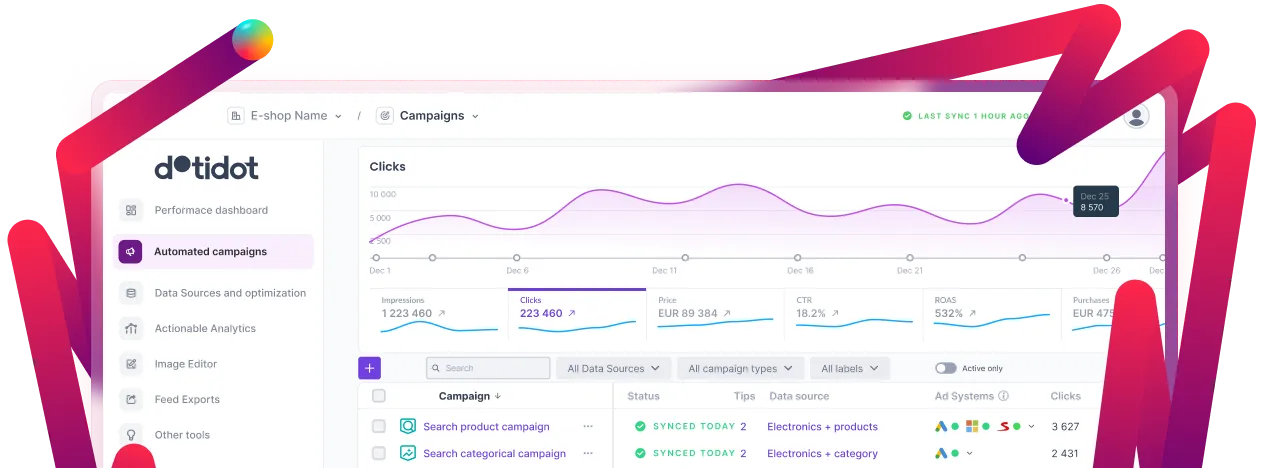
Manual fixes can be time-consuming, especially as your product catalog grows. Using an automated workflow, like the one available from Dotidot, can help you spot, bulk correct, and prevent recurring product feed errors with less effort.
Key advantages include:
- Comprehensive error diagnostics and prioritized to-do lists
- Smart data mapping, automatic field enrichment, and standardized exports
- Seamless connections between your store, feed, and ad platforms
- Visual previews to validate data before it’s published live
- Support for ongoing monitoring and proactive notifications when new errors arise
For more technical setups, Dotidot offers advanced solutions that improve process reliability for omnichannel retailers, agencies, and scaling ecommerce teams.
Conclusion
Investing in a robust feed health checklist is critical to maintaining strong campaign performance, especially during high-traffic periods. Quick detection and resolution of product feed errors prevent lost sales, wasted ad spend, and reputation risk. By using structured templates and leveraging automated workflows from platforms like Dotidot, marketers and ecommerce teams can maintain error-free feeds and unlock sustainable growth.